|
RDooD.com
POP |
||
|
|
|
|
|
|
||
|
|
|
|
|
This guide explains how to setup Microsoft Outlook to send and receive email with your RDooD.com Personal Email account. |
||
|
Step
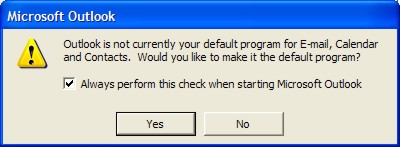
Open Microsoft Outlook If Outlook asks you to make it your default mail client, choose Yes. |
||
|
|
||
|
Step
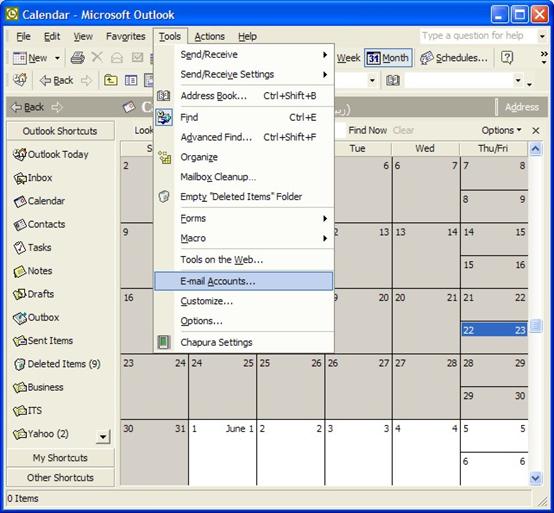
In Outlook, choose the Tools menu and then choose E-Mail Accounts... |
||
|
|
||
|
Choose
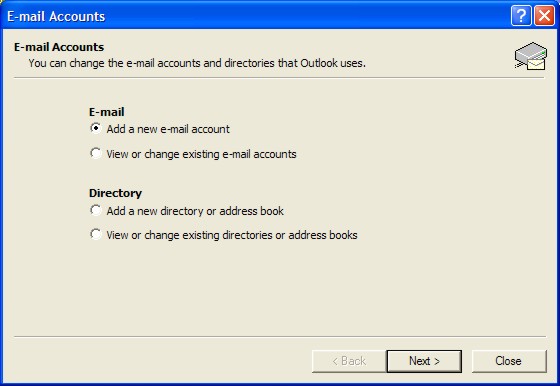
the Add a new e-mail account under the E-mail Title... Click
NEXT… |
||
|
|
||
|
Step
Choose
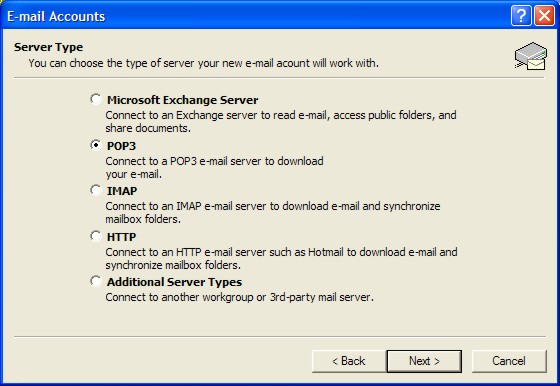
the POP |
||
|
|
||
|
Step
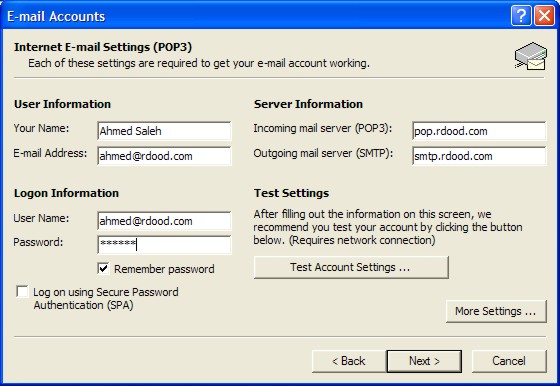
In
the following window fill in the blanks as follows :
|
||
|
|
||
|
Step
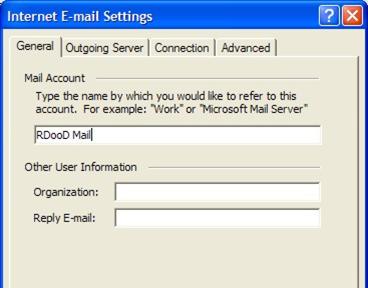
Click
on More Settings…
In
the General tab and under mail account replace pop.rdood.com
with RDooD Mail
|
||
|
|
||
|
Step
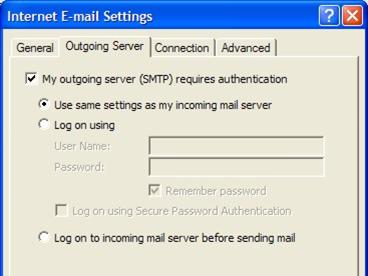
Choose
the Outgoing Server tab and click on
My outgoing server
(SMTP) requires authentication. Leave the Use same settings as my incoming mail server checked. |
||
|
|
||
|
Step
If
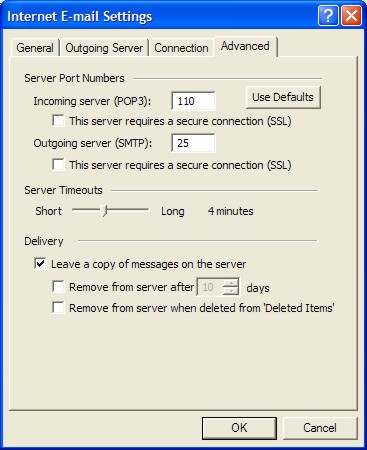
you would like to leave a copy of the messages you download on the server for
retrieval from other location do the following :
Choose
the Advanced and click on Leave a copy of messages on the
server.
(Remember that if not retrieved from another location or deleted then your mailbox will not be empted and could fill up quickly.) |
||
|
|
||
|
...
Click
OK
...
Click
NEXT
...
Click Finish
That’s it your done. You can now check your email.
|
||
|
|
||
|
Check Your Email
Click
on the Send/Recv button.
Your
new email messages are downloaded to your Inbox.
Congratulations! You have now setup Outlook to send and receive email with your RDooD.com Personal Mail account. |
||
|
|
|
|
|
|
|
2003 Copyright © RDooD.com. All rights reserved |
2003 جميع الحقوق محفوظة لردود دوت كوم |