|
RDooD.com
POP |
||
|
|
|
|
|
|
||
|
|
|
|
|
This guide explains how to setup Microsoft Outlook Express to send and receive email with your RDooD.com Personal Mail account. |
||
|
Step
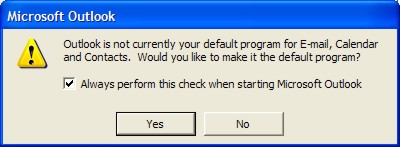
Open Microsoft Outlook Express If Outlook asks you to make it your default mail client, choose Yes. |
||
|
|
||
|
Step
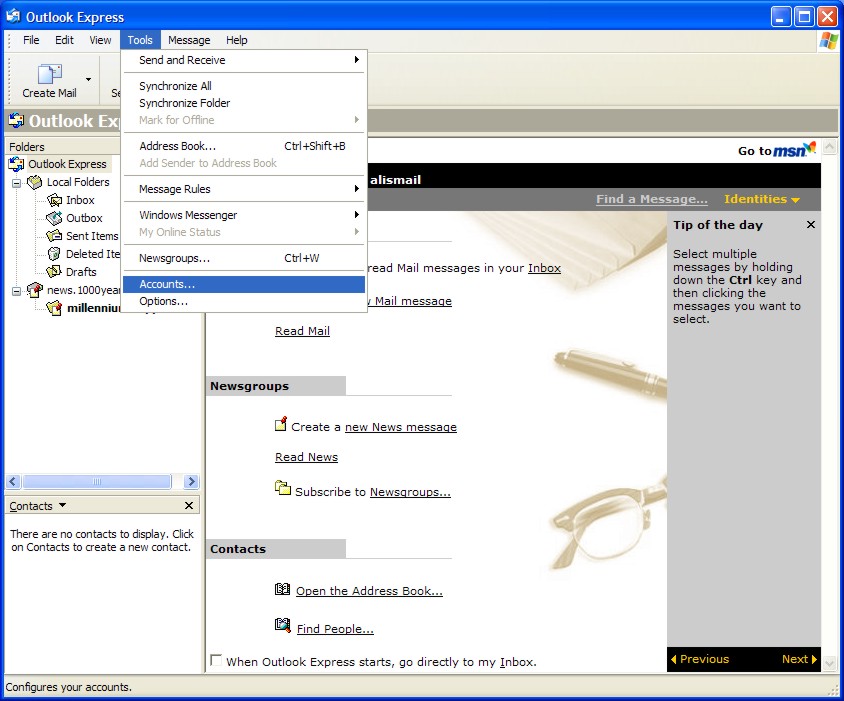
C hoose the Tools menu and then choose Accounts...
|
||
|
|
||
|
Step
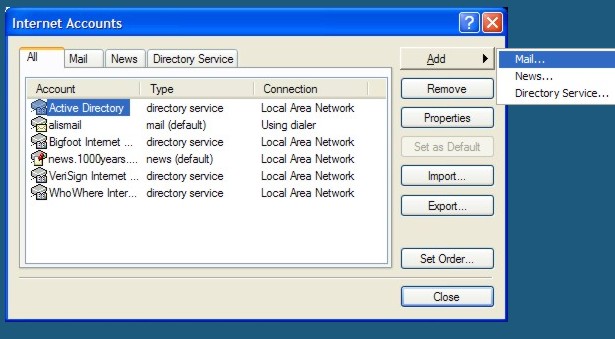
Choose the Add then Mail |
||
|
|
||
|
Step
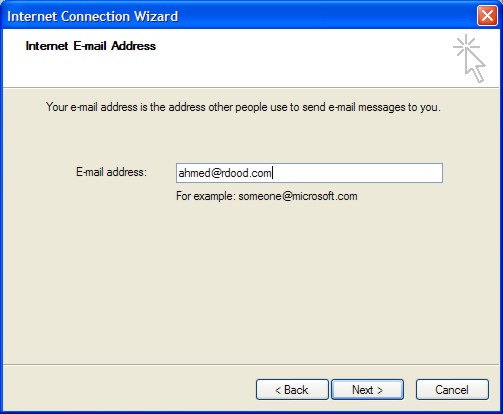
Enter your full email address
(i.e. ahmed@rdood.com)... Click
NEXT… |
||
|
|
||
|
Step
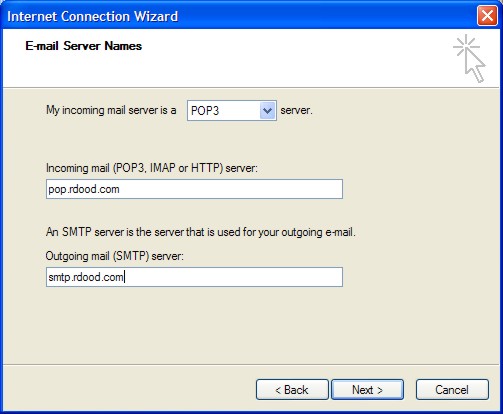
5
In
the following window fill in the blanks as follows :
Click
NEXT… |
||
|
|
||
|
Step
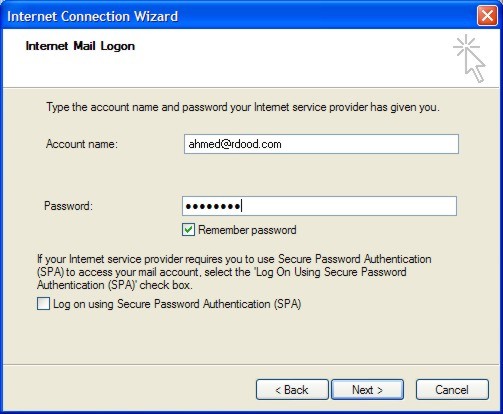
6
In
the following window fill in you full email address in Account name box. (i.e. ahmed@rdood.com)
Also type in you password in the password field. You can choose Remember password to make your client automatically login in and check your email. Else you will need to type it in every time.
Secure Password Authentication
should be un-checked by default. If not, un-check Log on using Secure
Password Authentication (SPA). |
||
|
|
||
|
Step
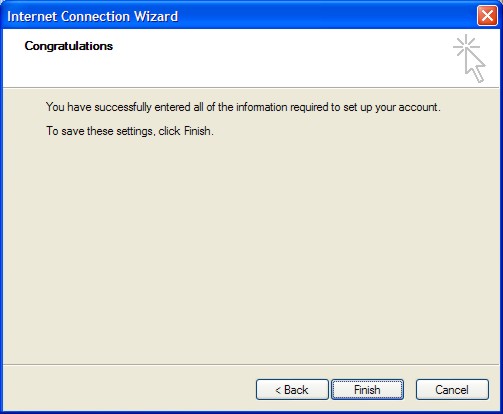
6 Now click on Finish.... |
||
|
|
||
|
Step
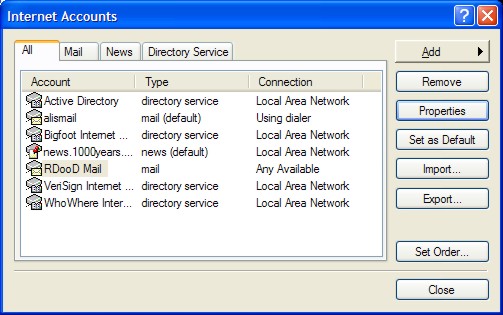
8 Now click on the new email account called "pop.rdood.com" and press Properties... |
||
|
|
||
|
Step
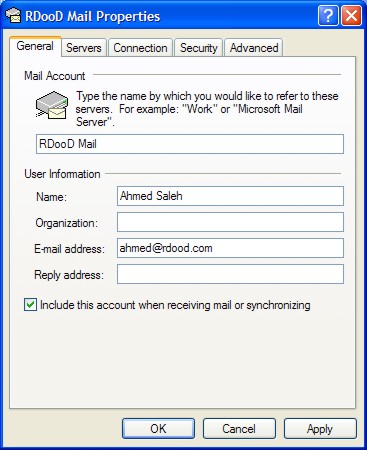
9 In the Mail Account box rename pop.rdood.com to "RDooD Mail" |
||
|
|
||
|
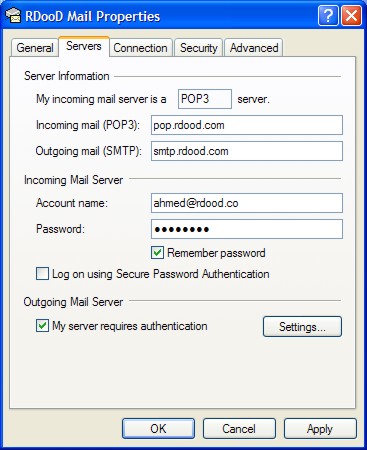
Step 10Now click "Servers" tab and make sure you check the box tilted "My server requires authentication" |
||
|
|
||
|
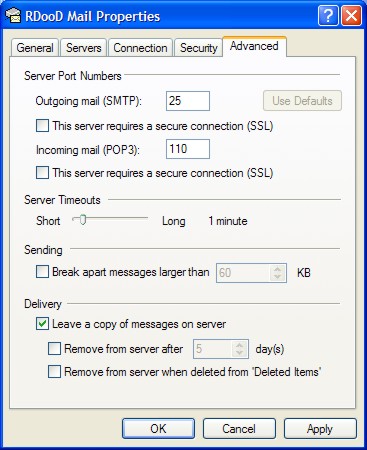
Step 11 (Optional)
If
you would like to leave a copy of the messages you download on the server for
retrieval from other location do the following :
Choose
the Advanced and click on Leave a copy of messages on the
server.
(Remember that if not retrieved from another location or deleted then your mailbox will not be empted and could fill up quickly.) |
||
|
|
||
|
Step
12 Click on OK. That's it. You are now ready to use your Outlook Express for your RDooD email
Click
on the Send/Recv button.
Your
new email messages are downloaded to your Inbox.
|
||
|
|
|
|
|
|
|
2003 Copyright © RDooD.com. All rights reserved |
2003 جميع الحقوق محفوظة لردود دوت كوم |